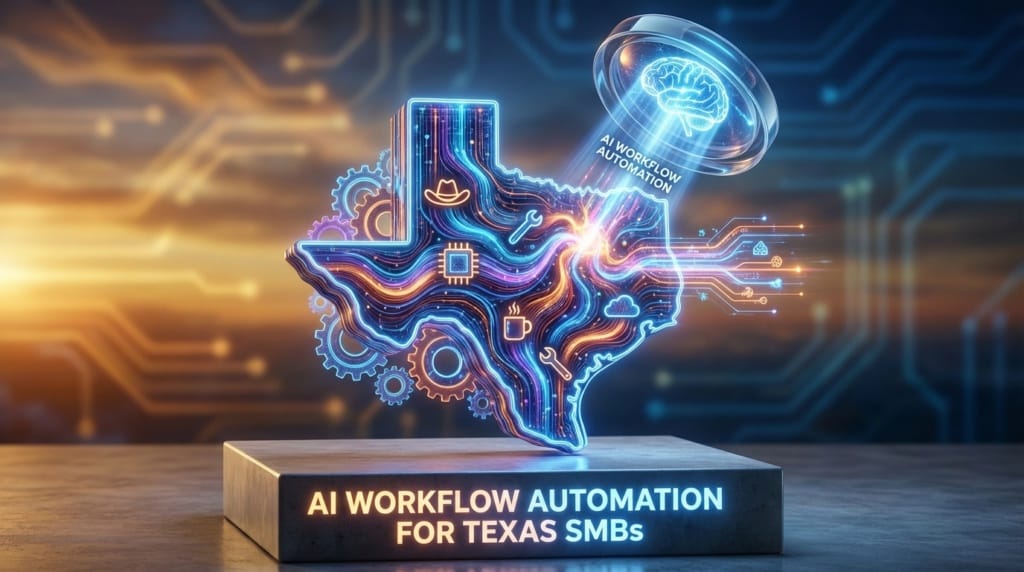
🤠 AI Workflow Automation for Texas SMBs: Systems To Replace Busy Work
What Is AI Workflow Automation for Texas SMBs?
AI Workflow Automation for Texas SMBs replaces repetitive office tasks with connected systems like Intuit Assist, Zapier AI, and HubSpot AI. It routes data between tools, generates drafts and summaries, and triggers next steps automatically. The result is faster approvals, cleaner records, and predictable operations without adding headcount.
Jump to Passage. . .
🤠 AI Workflow Automation for Texas SMBs Starts Paying Off When Work Stops “Sticking to Boots”
AI Workflow Automation for Texas SMBs matters when the day feels like walking a muddy jobsite, every step picks up more busy work. Quotes to chase. Invoices to send. Leads to follow up. Status updates to type. Approvals to hunt down. None of that is “the real work,” but it clings to the team like West Texas clay.
Automation is the scraper at the truck wash. It does not replace the driver. It clears the mess that keeps the driver from getting back on the road.
That is why adoption is no longer a novelty. Data shows AI adoption among U. S. SMBs reached 57% in 2025, up 58% from 2023, a sign that AI is becoming operational infrastructure, not a side experiment. That shift is captured in the bristowbeat.com SMB Trends 2026 coverage of small business trends.
Texas SMBs feel this pressure in a specific way. When demand spikes in Houston, Austin, Dallas, San Antonio, or the Permian Basin, the work does not arrive politely in a single system. It comes through email, calls, texts, web forms, vendor portals, and spreadsheets. The business wins when it can turn that chaos into a clean pipeline, like moving cattle from open pasture into well-built pens and chutes.
This guide breaks down practical systems that replace busy work, plus the metrics, implementation steps, and Texas-specific considerations that keep automation from turning into another half-finished “IT project.”
⚙️ How Does AI Workflow Automation Create Real Operational Leverage?
AI Workflow Automation creates leverage by turning scattered tasks into a repeatable process that runs the same way every time. It captures inputs, applies rules, uses AI to summarize or draft, and triggers actions in the next system. That consistency reduces errors, shortens cycle times, and frees owners and managers to focus on revenue and delivery.
Texas SMBs usually do not need a “big AI program.” They need a dependable set of connected automations that handle the boring middle of the workday. Think of it like upgrading from hand tools to air tools. The craft still matters. The output just stops depending on muscle alone.
🧰 The three layers that make automation stick
Most successful AI Workflow Automation stacks have three layers. If one is missing, the system feels like a lifted truck with bald tires, it looks tough, but it slips when the road gets wet.
- Systems of record, the tools that must be correct, like accounting, CRM, and inventory.
- Workflow glue, the connectors that move data and trigger steps, like no-code automation.
- AI helpers, the assistants that summarize, draft, classify, and forecast using Predictive Analytics.
When these layers work together, the team stops retyping the same information into three places. It also reduces the “where is that file” scavenger hunt that kills momentum.
📍 Where Texas SMBs feel leverage first
In Texas, leverage shows up quickly in customer-facing functions. When response time drops, close rates rise. When invoices go out faster, cash flow steadies. When scheduling is automatic, crews spend more time on-site and less time on the phone.
This is where ERP Platforms matter. Even if a company is not ready for a full ERP rollout, it can still borrow the ERP mindset, one source of truth, clean handoffs, and defined approvals, then use AI to keep the handoffs moving.
📈 What Changed Between 2023 and 2025 That Made AI Adoption Double?
AI Adoption doubled because AI moved from novelty tasks to core operations like Predictive Analytics, automated workflows, and scheduling. Affordable cloud tools reduced the need for specialized teams. SMBs started treating AI as a standard feature inside the software they already use, not as a separate “AI project.”
Research shows nearly 60% of U. S. small businesses used AI tools by 2025, doubling from 2023. The same data highlights that 80% of users report higher efficiency, and managers save 7.2 hours weekly versus 3.4 for others. Those figures come from the business.com AI Usage SMB Study.
That time savings is not theoretical. It is the difference between an owner doing payroll at midnight and an owner reviewing a dashboard at 4 p. m. while there is still daylight to call a customer back.
🧠 The “embedded AI” shift that makes SMBs competitive
The real change is that AI is now embedded inside tools that SMBs already trust. Instead of exporting data, cleaning it, and prompting a chatbot, the AI sits next to the invoice screen, the CRM record, or the support inbox. That reduces friction, which is why adoption accelerates.
When AI is embedded, it becomes easier to standardize. Standardization is what lets a Texas SMB scale from 8 employees to 18 without feeling like it is herding cats through a barbed-wire fence.
🧭 A practical definition of “core function” AI
Core function AI does three things. It reduces manual entry, it makes decisions faster, and it produces a usable output that flows into the next step.
- Predictive Analytics for demand, staffing, and cash flow.
- Workflow automation that triggers tasks, notifications, and updates.
- Content generation for emails, summaries, and internal documentation, with human review.
When those are in place, the business stops paying a “tax” for growth. Growth still costs effort, but it does not cost the same amount of clerical work per dollar earned.
⏩ Which Five Systems Replace the Most Busy Work for Texas SMBs?
The five systems that replace the most busy work cover finance, app-to-app workflows, sales and CRM, team execution, and marketing analytics. Used together, they reduce retyping, shorten approval cycles, and keep customer follow-up consistent. The key is to assign each system a clear job, like tools on a belt, not five tools trying to be the hammer.
The goal is not to automate everything. The goal is to automate the repeatable parts so the team can spend its best hours on high-value judgment, relationships, and delivery.
💵 Intuit Assist: Finance automation that keeps the books from becoming a weekend job
Intuit Assist is built for end-to-end financial automation, including bookkeeping, invoicing, and cash-flow forecasting. For many Texas SMBs, this is the first domino. If the books are messy, everything else is guesswork.
According to the roundup in Medium AI Tools SMBs 2026, Intuit Assist can save 5-10 hours per week and integrates with tools like QuickBooks and Mailchimp. That time usually comes from categorization, invoice creation, follow-ups, and forecasting prep.
Texas angle. When sales tax, job costing, and vendor payments are handled on time, the business stops feeling like it is riding a bull with one hand on the rope. Cash flow becomes something you steer, not something that surprises you.
🔗 Zapier AI: The “pipefitter” that connects your apps
Zapier AI is the connector that moves information between systems without custom code. If Intuit Assist is the accountant, Zapier AI is the pipefitter who makes sure the right data gets to the right place without leaks.
Common Texas SMB automations include creating invoices when a job is marked complete, syncing web leads into a CRM, sending SMS reminders for appointments, and posting daily summaries into a team channel. The win is not just speed. It is consistency, the workflow runs even when the office is short-staffed.
📇 HubSpot AI: CRM and sales follow-up that never forgets
HubSpot AI focuses on sales and CRM automation, including AI emails, forecasting, and data enrichment. For a small team, it acts like a steady inside sales rep who never forgets to follow up, and never loses the last conversation thread.
When a lead comes in, HubSpot AI can help draft responses, summarize calls, and keep pipeline stages clean. That matters in Texas markets where competition is tight and response time is a differentiator.
💬 Agentforce in Slack: Execution discipline where the team already talks
Agentforce in Slack improves project workflows with task prioritization, summaries, and action items. It keeps work moving inside the communication layer, which is where many SMBs live day to day.
For field service, construction, agencies, and professional services, Slack becomes the dispatch radio. Agentforce in Slack becomes the calm dispatcher who repeats the plan, captures decisions, and turns chatter into tasks.
📣 ModeSense AI: Lightweight analytics that turns attention into revenue
ModeSense AI provides budget analytics for behavior prediction, SEO, and content recommendations. It is useful when marketing feels like throwing flyers out the truck window and hoping the right customer sees one.
ModeSense AI is not about vanity metrics. It is about identifying what content, pages, or offers lead to action, then recommending what to do next. For Texas SMBs, that can mean aligning content with seasonal demand, local search behavior, and service-area priorities.
To make the five systems easier to apply, this table maps each tool to the kind of busy work it replaces and the output you should expect.
| System | Busy Work It Targets | Best Output To Demand |
|---|---|---|
| Intuit Assist | Categorization, invoicing, cash flow prep | Clean books, faster invoicing, forecasts |
| Zapier AI | Retyping across apps, handoffs, reminders | Reliable triggers and synced records |
| HubSpot AI | Lead follow-up, pipeline hygiene, email drafting | Faster response, clearer pipeline |
| Agentforce in Slack | Meeting notes, task chasing, status updates | Summaries, action items, prioritization |
| ModeSense AI | Guesswork marketing, content planning, SEO direction | Recommendations tied to behavior |
📍 Why Are Texas SMBs Positioned to Win Faster With AI Workflow Automation?
Texas SMBs win faster with AI Workflow Automation because they can implement cloud tools quickly, adjust processes without bureaucracy, and focus on customer-facing speed. Research shows Texas SMBs rapidly adopt AI in customer service and marketing, which creates immediate revenue impact. The state’s industry mix also rewards operational discipline.
One number matters for go-to-market teams. Texas SMBs show 62% adoption in customer service and marketing, mirroring national trends but benefiting from the state’s growth and competition. That adoption detail appears in the SMB Group AI Impact Report, which also notes that 53% of SMBs use AI now and 29% plan adoption in the next year.
🛢️ Industry fit: energy, retail, and service businesses love repeatable workflows
Texas has a heavy concentration of industries where workflow discipline is money. Energy services, logistics, retail, construction, and field services all depend on handoffs. A missed approval can stall a job. A delayed purchase order can idle a crew. A slow response can lose a bid.
AI Workflow Automation for Texas SMBs is not about replacing skilled labor. It is about keeping skilled labor out of the paperwork ditch.
🏗️ ERP Platforms and “vertical workflows” are becoming reachable
Many SMB owners hear “ERP” and think of enterprise budgets and months of pain. The modern reality is that ERP Platforms increasingly embed AI features and vertical workflows. That means a smaller company can adopt pieces of ERP discipline, approvals, purchasing, job costing, and service tickets, without building an internal AI team.
For Texas SMBs, this is especially useful in oilfield services and multi-location operations where standardization is the difference between profit and chaos.
✅ How Do Autonomous AI Agents Reduce Routine Approvals by 65%?
Autonomous AI Agents reduce routine approvals by pre-checking requests against rules, summarizing context, and routing only exceptions to humans. Instead of managers approving every small step, the agent approves standard cases and escalates edge cases. Research reports routine approvals drop by 65% when agentic workflows handle the repeatable decisions.
That 65% reduction in routine approvals is part of the agentic trend described in Medium AI Tools SMBs 2026, where the emphasis is on combining deterministic automation with LLM-based reasoning tied to business data.
For a Texas SMB, approvals are often the hidden bottleneck. A purchase request sits because the owner is on a jobsite. A discount approval waits because the sales manager is driving between appointments. An invoice gets delayed because someone needs to confirm a change order.
🧾 What approvals should be delegated first?
Start with approvals that are frequent, low-risk, and rule-based. If it can be written as “if this, then that,” it is a candidate for Autonomous AI Agents plus workflow automation.
- Purchase approvals under a threshold, with vendor on an approved list.
- Standard refunds and credits that match documented policy.
- Scheduling changes that do not violate staffing rules.
- Invoice approvals when job status, materials, and labor match the estimate.
🧠 The “exception lane” keeps humans in control
Good agentic design creates two lanes. The fast lane is for standard cases. The exception lane is for anything unusual. Humans stay in charge of judgment calls, but they stop being the rubber stamp for routine work.
That is the real payoff. The manager’s attention becomes a scarce resource used for real decisions, not for clicking “approve” 40 times a day.
📊 What Metrics Prove AI Workflow Automation Is Working?
The clearest metrics are time saved per week, cycle time from lead to invoice, approval latency, and error rates in finance and CRM. Research ties AI workflow automation to 35-55% productivity gains and 40-60% time savings. SMBs should track a small set of operational numbers weekly, not vague “AI usage.”
On the performance side, research indicates AI workflow automation delivers 35-55% productivity gains and 40-60% time savings. Those ranges are summarized in asappstudio.com AI Workflows 2026.
📏 The Texas SMB scorecard (simple, but sharp)
A good scorecard is like a fence line. It does not need to be pretty. It needs to hold. Track the numbers that tell you whether work is flowing or piling up.
| Metric | What It Reveals | How To Measure |
|---|---|---|
| Lead response time | Sales speed and follow-up discipline | Median minutes from lead to first reply |
| Quote-to-close cycle time | Friction in approvals and handoffs | Days from quote sent to signed |
| Invoice lag | Cash flow drag caused by admin delay | Days from job complete to invoice sent |
| Approval latency | Where decisions are stuck | Hours from request to approval |
| Rework rate | Data quality and process clarity | Count of corrections per week |
🧮 Where time savings actually comes from
Time savings is not one big miracle. It is 30 small wins that stack up. Auto-created tasks. Auto-filled fields. Auto-summaries. Auto-reminders. Auto-routing. Each one removes a small pause, and the pauses are what make a day feel like it disappeared.
When owners ask whether automation is worth it, the right answer is to measure it like fuel economy. A single trip does not prove much. A month of driving tells the truth.
🔗 What Is a Practical Implementation Plan for Texas SMBs?
A practical plan starts with one workflow, one owner, and one measurable outcome. Texas SMBs should map the process, clean the data fields, automate handoffs, then add AI for drafting and summarizing. The best rollout feels like installing a better gate, not rebuilding the whole ranch.
🗺️ Step-by-step rollout that avoids “automation sprawl”
Use this sequence to keep AI Workflow Automation for Texas SMBs controlled and profitable.
- Pick one workflow, like lead intake to booked appointment, or job complete to invoice sent.
- Define the trigger, what event starts the chain, such as a form submission or status change.
- Standardize fields, one naming convention for customer, job, and status values.
- Connect systems with Zapier AI style handoffs, then test with real records.
- Add AI assistance for summaries, drafts, and classification, with human review.
- Build an exception path so unusual cases route to a person fast.
- Track two metrics, one speed metric and one quality metric, weekly.
🧯 Controls that keep AI safe and useful
SMBs do not need enterprise governance, but they do need guardrails. Set access by role. Keep financial approvals explicit. Log automation runs. Require human review for customer-facing messages until confidence is earned.
Also, keep the “source of truth” clear. If HubSpot AI is the CRM, do not let a spreadsheet become the shadow CRM. If Intuit Assist is the accounting record, do not let invoices live only in email threads.
🏁 Texas SMBs That Automate Like a Well-Run Crew Outrun Bigger Competitors
AI Workflow Automation for Texas SMBs works when it is treated like crew training, not a software stunt. The strongest results come from five moves: automate finance with Intuit Assist, connect apps with Zapier AI, keep sales follow-up steady with HubSpot AI, run execution inside Agentforce in Slack, and use ModeSense AI to turn marketing into measurable behavior.
The adoption data shows the direction of travel, with 57% AI Adoption among U. S. SMBs in 2025 and nearly 60% using AI tools by 2025, plus measurable efficiency and time savings. The operational data shows the payoff, with 35-55% productivity gains and 40-60% time savings when workflows are automated, and a 65% cut in routine approvals when Autonomous AI Agents handle standard decisions.
Texas SMBs are positioned to win because speed matters here. Customers expect quick answers. Crews need clear schedules. Vendors need clean POs. When automation removes the waiting, the business feels less like firefighting and more like running a tight shop.
If one workflow in the business could run without reminders, which one would immediately change the week?
❓ Common Questions
How do I pick the first workflow to automate?
Choose the workflow with the most retyping and delays, like lead intake or invoicing. Measure cycle time before and after so the ROI is obvious.
Will AI replace my office staff?
No. It replaces repetitive steps, not accountability. Staff shifts to customer follow-up, exception handling, and higher-value coordination.
What is the biggest risk with automation?
Bad data moving faster. Standardize fields and definitions first, then automate. Add an exception path so unusual cases reach a human.
Do I need an ERP to benefit from AI?
No. Many SMBs start with CRM plus accounting plus automation glue. ERP Platforms help later when processes and reporting need deeper standardization.
Where does Predictive Analytics help most?
Cash flow forecasting, demand planning, and staffing. It turns historical patterns into forward-looking signals so owners stop guessing.
How do Autonomous AI Agents fit into SMB workflows?
They handle rule-based approvals and routing, then escalate exceptions. That reduces approval delays and keeps managers focused on real decisions.
How fast can a small team see results?
With one workflow and clean data, many teams see improvements in days or weeks. The key is narrow scope, clear triggers, and weekly metric reviews.
 SEO SOLUTIONS TEXAS BLOG
We are a results-driven digital marketing and AI SEO agency focused on increasing website traffic, improving online visibility, and generating high-quality leads for our clients.
🏆 Our Services:
Get Access To Our Texan Newsletter
Outrank. Outplay. Outperform.
We deliver elite Texas AI SEO and digital marketing strategies that amplify your presence across search engines, social media, and the platforms that matter most—so you get cited, attract ready-to-buy customers, and turn visibility into unstoppable brand growth.